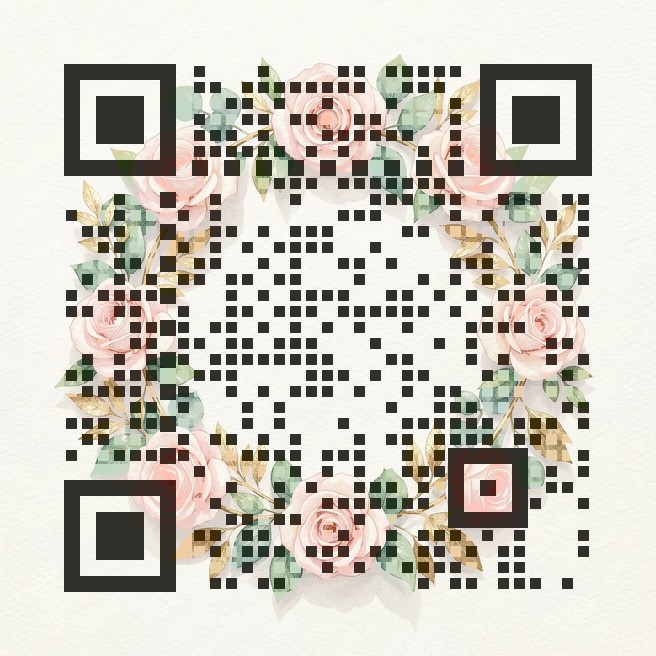
What to link from a wedding QR code
- RSVP form — Google Forms, Zola, The Knot, Joy or your own site. Guests reply in seconds and you get the answers in one place.
- Wedding website — schedule, venue map, dress code, hotel blocks and gift registry.
- Shared photo album — put a code on table cards so guests can upload their photos the same night.
- Livestream link — for family who can't travel.
How to make it in 3 steps
- Paste the link you want guests to open (use a short link if it is very long — shorter links give cleaner codes).
- Pick the Wedding invite artwork or upload your own invitation art, then choose a style: Square, Dots or Rounded. You can tint the three corner squares to match your colour palette.
- Press Generate. The page tests the code with a QR decoder at full size and at small size and raises the contrast automatically until it passes. Download the PNG, or use the free 2048px print version for paper.
Printing tips for invitations and signs
- On a 5×7 in invitation, print the code at least 2.5 cm (1 in) wide; 3 cm is safer for older phones.
- On a welcome sign or seating chart seen from 1–2 m away, go for 8–10 cm.
- Matte card scans better than glossy or foil — reflections can hide the dark modules.
- Keep a plain margin (the quiet zone) around the code; don't let other artwork touch its edges.
- Always print one proof and scan it with two different phones (one iPhone, one Android) before ordering the full run.
How the scan check works
A QR code is a grid of dark and light squares (modules) plus three big corner squares that tell the camera where the code is. Our generator keeps your artwork underneath and only darkens or lightens the centre of each module, so from a distance you see the picture and up close the camera sees the pattern. The three corner squares are drawn solid so phones can lock on quickly. Error correction is set to the highest level (H), which lets a code survive about 30% damage. After drawing, the page decodes the result with jsQR at full size and again shrunk to 300 pixels, roughly how a phone sees a small print from arm's length. If either test fails, it increases the contrast step by step and tries again. If even the strongest setting fails, it tells you instead of handing you a code that might not work.
FAQ
Will a wedding QR code with artwork still scan?
Yes, if it passes the check. The generator only lets you download a code after a decoder has read it at full size and at a small size; if the picture is too busy it raises the strength or tells you to pick another picture.
Does the QR code expire?
No. The code contains your link directly, so it works as long as the link works. There is no redirect service in the middle and nothing to renew.
Can I use my own invitation design?
Yes. Upload a JPG or PNG of your artwork. Light, softly detailed images (watercolor florals, pastel backgrounds) give the most beautiful results.
Is it free?
Yes. The web version and the 2048px print version are free, with no sign-up.
Make your code now
Open the free QR Art generator, paste your link, pick an artwork and style, and download a scan-checked PNG. Need it for print? Use the free 2048px HD version.
More guides: Menu QR codes · Pet tag QR codes