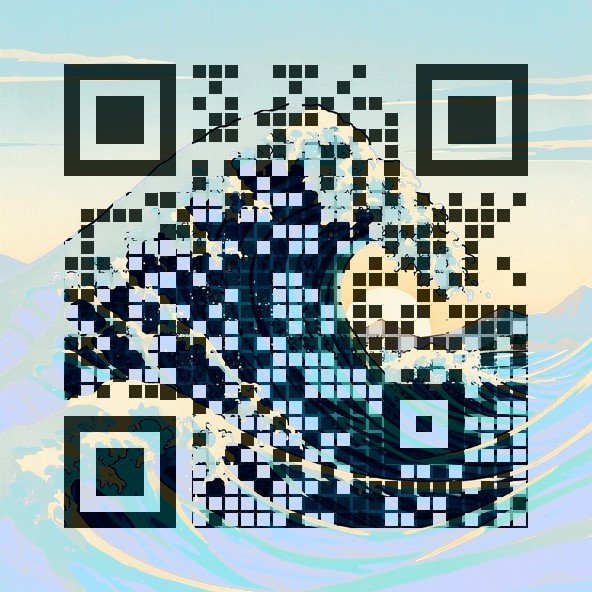
Good links for a menu QR code
- Your online menu — a PDF, a page on your website, or your ordering system's menu link.
- Order and pay at the table — if your POS gives you a table ordering link.
- Google review page — a second, smaller code on the receipt or the door.
- Wi-Fi details or allergen information — a simple page works best.
Making a menu code that scans in real restaurants
- Use the Rounded or Square style for table tents: they hold up best under warm, low light.
- If your artwork is dark or very detailed, leave Adapt strength to the picture switched on — it starts at a stronger setting so you don't end up with a code that only scans in daylight.
- Tint the corner squares in your brand colour; the tool keeps them dark enough for every scanner.
- Print at least 3 cm wide on a table tent and 6–8 cm on a window or wall poster. Use the free 2048px HD version for anything bigger than a postcard.
Before you print 50 table tents
- Print one copy, put it on a table in your real lighting and scan it with two different phones from where a seated guest would hold their phone.
- Check that the link opens fast on mobile data — a slow PDF menu frustrates guests more than an ugly code.
- Laminated tents reflect light; matte lamination scans more reliably than glossy.
How the scan check works
A QR code is a grid of dark and light squares (modules) plus three big corner squares that tell the camera where the code is. Our generator keeps your artwork underneath and only darkens or lightens the centre of each module, so from a distance you see the picture and up close the camera sees the pattern. The three corner squares are drawn solid so phones can lock on quickly. Error correction is set to the highest level (H), which lets a code survive about 30% damage. After drawing, the page decodes the result with jsQR at full size and again shrunk to 300 pixels, roughly how a phone sees a small print from arm's length. If either test fails, it increases the contrast step by step and tries again. If even the strongest setting fails, it tells you instead of handing you a code that might not work.
FAQ
Can I change the menu later without reprinting the code?
Yes, if the link stays the same. Point the code at a page or file whose address doesn't change (for example your website's /menu page) and just update that page.
Do I need an app to scan it?
No. The built-in camera on modern iPhones and Android phones reads QR codes. We also test every code with four different decoders (zbar, OpenCV, WeChat and ZXing) on our example designs.
Is there a subscription or tracking?
No. The code links straight to your URL — no redirect service, no monthly fee and nothing that stops working.
Can I use a photo of my restaurant?
Yes. Upload it as the artwork. Bright, not-too-busy photos work best.
Make your code now
Open the free QR Art generator, paste your link, pick an artwork and style, and download a scan-checked PNG. Need it for print? Use the free 2048px HD version.
More guides: Wedding QR codes · Pet tag QR codes